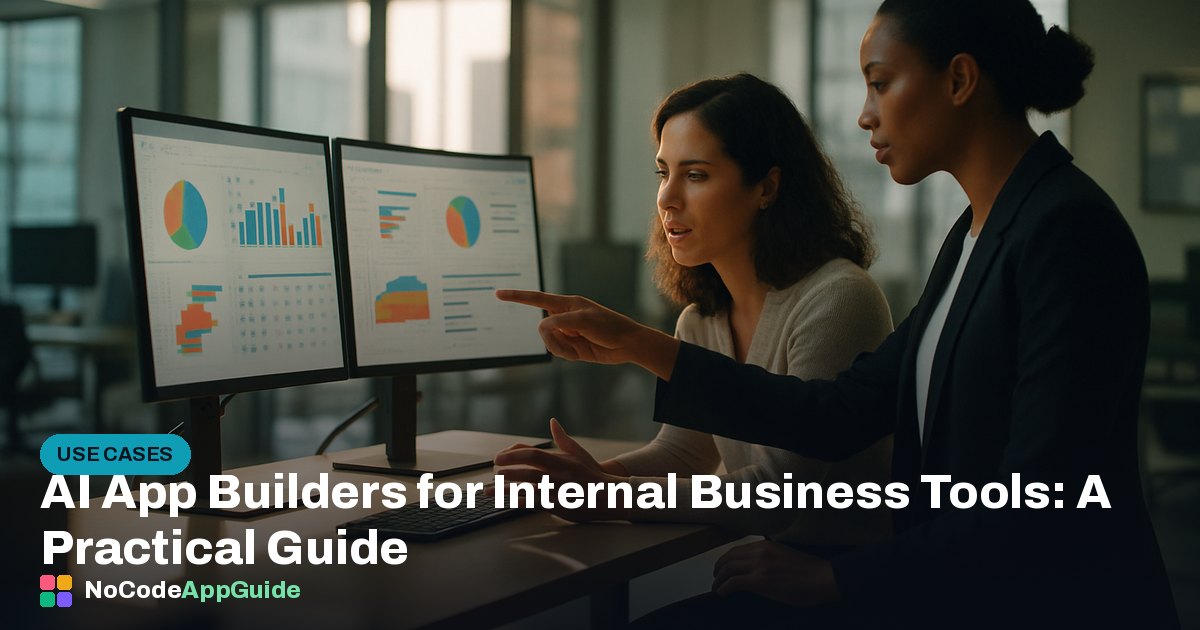
AI app builders are well-suited for internal business tools like dashboards, lightweight CRMs, and admin panels because the stakes around polish and edge-case handling are lower than with customer-facing apps. Platforms like Lovable and Base44 let non-technical staff describe what they need and get a working interface within hours. The trade-off is that complex data relationships and enterprise security requirements can still hit a ceiling.
AI app builders are a surprisingly good fit for internal business tools. Because the end users are your own colleagues — not paying customers — you can move fast, accept some rough edges, and iterate in real time. For dashboards, lightweight CRMs, and admin panels in particular, these platforms can cut weeks of developer time down to an afternoon.
Why Internal Tools Are the Sweet Spot
Customer-facing apps demand pixel-perfect design, bulletproof error handling, and serious scalability planning. Internal tools usually don't. A sales-ops dashboard that five people use every day can be functional and slightly imperfect and still save the business hours of manual work per week. That lower bar is exactly where AI builders excel right now. You describe what you need, the builder scaffolds a working app, and your team starts using it the same day.
If you want to see how today's platforms compare overall, our full AI app builder comparison breaks down the main options side by side.
What You Can Realistically Build
Based on hands-on testing, the following internal tool types work well with current AI builders:
- Data dashboards — connect a Google Sheet or simple database and visualise KPIs with filters and date ranges.
- Lightweight CRMs — contact records, notes, status fields, and basic pipeline views. Good enough for small sales teams who find spreadsheets chaotic but don't need Salesforce.
- Admin panels — CRUD interfaces for managing orders, users, or inventory without writing SQL manually.
- Approval workflows — simple request-and-approve flows for expenses, leave requests, or content sign-off.
Tools like Lovable and Base44 both handle these patterns reasonably well. Lovable tends to produce cleaner UI out of the box; Base44 leans more toward logic-heavy apps where the interface matters less than the data behaviour.
Honest Trade-Offs
Pros:
- Dramatically faster to ship than hiring a developer or waiting for IT.
- Non-technical owners can update and maintain the tool themselves.
- Low cost — many internal tools fit comfortably within a builder's base plan. See our guide on what it costs to build an app with AI for realistic numbers.
- Easy to iterate: changing a field or adding a filter takes minutes, not a Jira ticket.
Cons:
- Complex relational data — many-to-many joins, nested hierarchies — can confuse AI-generated schemas and require manual cleanup.
- Enterprise security requirements (SSO, audit logs, role-based access at a granular level) are often bolted on awkwardly or missing entirely.
- If the tool grows beyond its original scope, you may hit a hard ceiling and need to migrate to a proper framework.
Tips for Getting Good Results
- Start with a clear data model. Before you prompt anything, sketch out your tables and relationships on paper. The AI will do better if you describe your data structure explicitly rather than vaguely asking for "a CRM."
- Build in phases. Get the core read/write working first. Add filters, charts, and notifications once the data layer is stable.
- Use role permissions early. If different team members need different access levels, set that up before people start entering real data — retrofitting it is painful.
- Document what you built. AI-generated apps can be hard to hand off. Write a short internal doc explaining what the app does and how to update it.
For a deeper walkthrough of the build process, our in-depth guides cover specific platforms and use cases step by step.
When to Look Beyond AI Builders
If your internal tool needs to process sensitive personal data under strict compliance frameworks, integrate deeply with legacy enterprise systems, or scale to hundreds of concurrent internal users with complex permission trees, a dedicated tool like Retool or a lightweight custom build may serve you better. AI builders are not a universal answer — they're a fast, affordable answer for a well-defined set of problems. Knowing that boundary upfront saves you from a painful rebuild later.
For most small and mid-sized teams, though, an AI builder is the most practical way to stop living in spreadsheets and start using a real tool — without waiting months for development resources. Pick a specific, well-scoped problem, choose a platform that fits your data needs, and ship something your team can use this week.
Frequently asked questions
Can I really build a CRM with an AI app builder?
Yes, for basic use cases — contact records, pipeline stages, notes, and status tracking work well. If you need deep automation, advanced reporting, or tight email integration, you'll likely hit limitations and may need a dedicated CRM platform or custom development.
Are AI-built internal tools secure enough for business data?
It depends on the platform and the sensitivity of your data. Most AI builders offer basic authentication and role permissions, but granular access control, audit logging, and compliance certifications vary widely. Always check a platform's security documentation before putting sensitive data into any AI-generated app.
How long does it take to build an internal dashboard with an AI builder?
A simple dashboard connected to a spreadsheet or basic database can be working within a few hours. More complex tools with multiple data sources, user roles, and custom logic typically take a few days of iterative prompting and testing.
Which AI app builder is best for internal tools if I'm not technical?
Lovable and Base44 are both accessible starting points for non-technical users building internal tools. Our best AI app builder for beginners guide at /best-ai-app-builder-for-beginners.html walks through which platforms are easiest to get started with.
What happens if my internal tool grows beyond what the AI builder can handle?
You may need to migrate to a more capable platform or commission a custom build. The main risk is that AI-generated code can be hard to hand to a developer cleanly. Building in phases and keeping your data model simple reduces the chance of hitting this ceiling early.
Find the AI builder that fits your idea
We tested every major AI app builder head-to-head. See which one matches your project in our full comparison.